
Step 1:
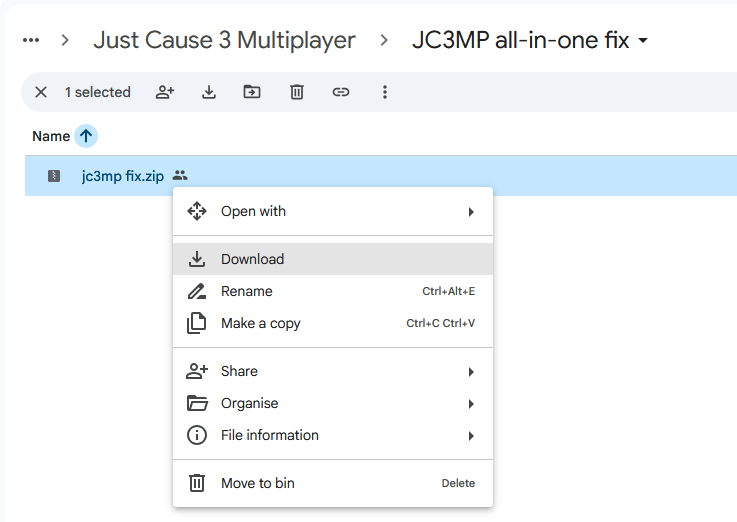
Visit the folder linked below on the Just Cause archive and download the fix zip file
Download fix
Step 2:
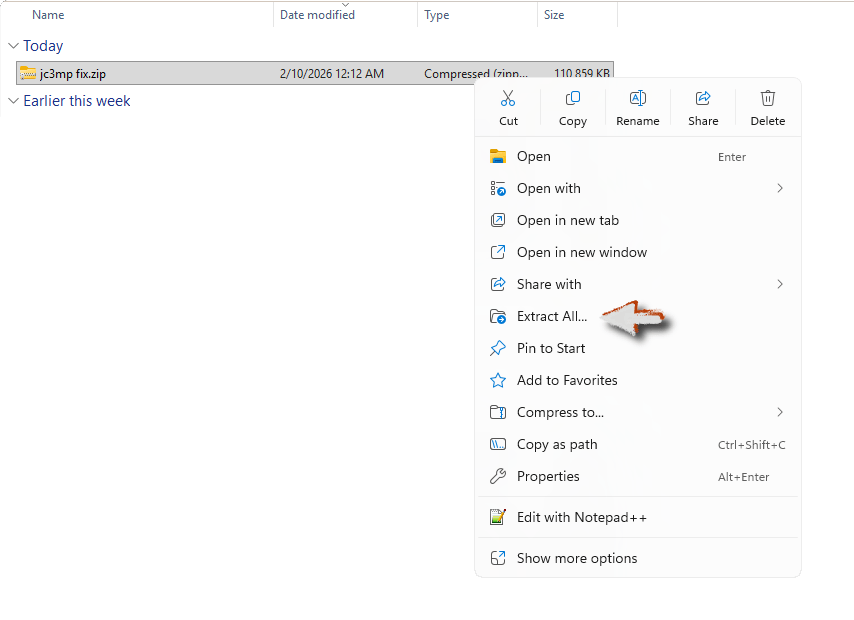
Go to your downloads folder and extract the zip file
Step 3:
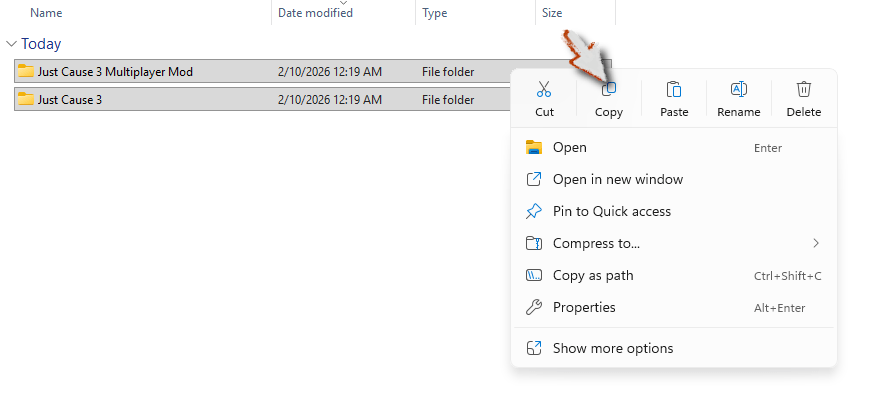
Go into the newly created folder, and copy the two folders inside
Step 4:
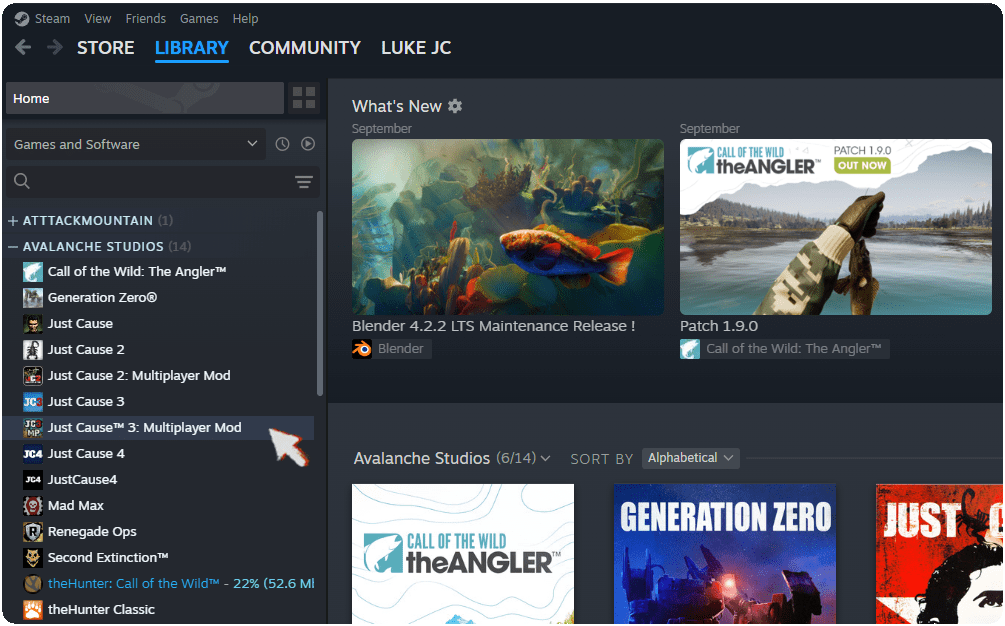
Open Steam, go to your library and find Just Cause 3 Multiplayer in your list of games
Step 5:
Right click it and click on “properties”

Step 6:
In the new window that pops up click “Installed Files” on the left, then “Browse…” in the top right

Step 7:
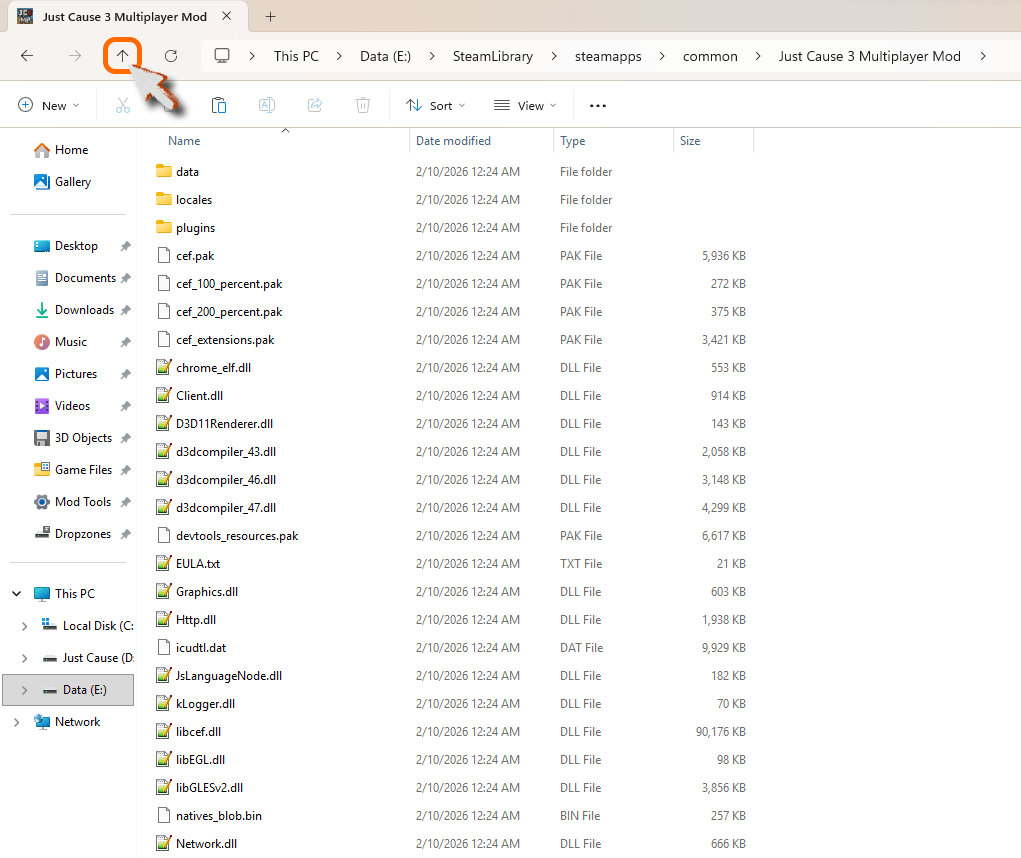
You are now in the Just Cause 3 Multiplayer install folder. Go up one folder to get to your Steam common folder
Step 8:
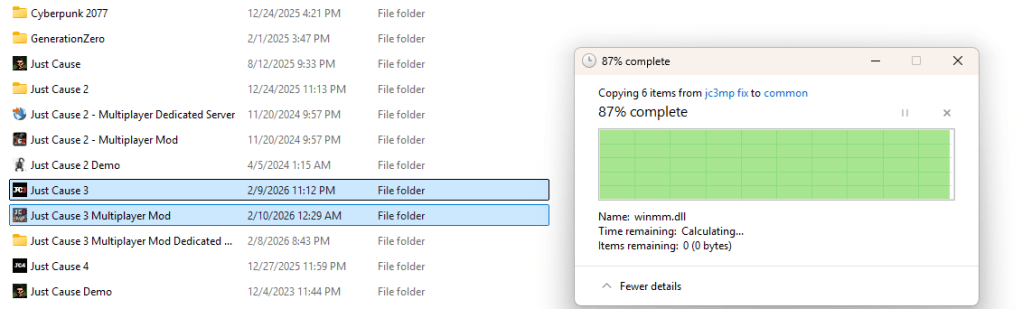
Now paste the two folders you copied earlier. Click yes to replace files when it asks you to
 Just Cause Unlimited