
Just Cause 2 won’t start and is stuck on “updating executable”?
Many people have started to have that issue this year, but turns out many other games also have it and have had it for many years
I’m happy to announce I found a simple fix that can get rid of this issue completely without using sketchy solutions that might break other things in the process
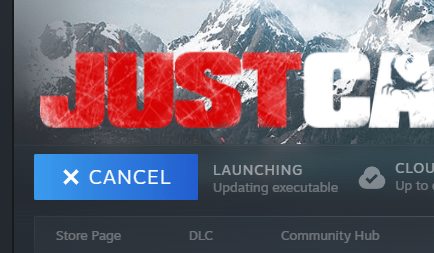
The issue seems to be caused by an anti-piracy measure knows as “custom executable generation”, or CEG for short.
Essentially: Steam downloads the game and on first launch, it gives the game’s exe and dlls a unique identifier, so it will only run on your computer. If you tried copying it to someone else’s PC, it simply doesn’t run. And this seems to be what it’s getting stuck on in this scenario
So, what’s the fix?
Basically, all we need to do is install the game to a different drive. Why? From my experience, once this issue occurs, there is absolutely nothing you can do to fix the game on the drive/partition that the game was installed to when it first happened
I was told completely reinstalling Windows can fix the issue, but who is going to do that just to fix a single game? Pretty much nobody. For Just Cause 2, there is also a patched exe that does whatever, but that’s not something you should just download and run on your system
So follow along to learn how to set up a second Steam-library that you can install the game to:
Step 1:
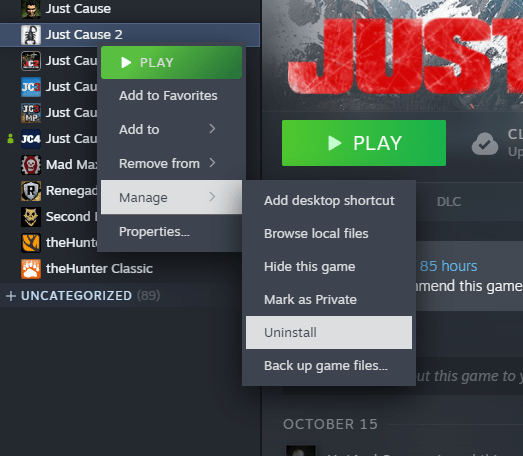
Uninstall the game. Simply go to your game-library, find Just Cause 2 in your list of games and right click it. In the popup, click on manage, then on uninstall
Step 2:
Create a second Steam-library. In the top left of the Steam app, click on Steam, then in the popup, click on settings
In the new window, click on storage. You will be brought to the menu you can see on the right. Click on the dropdown at the top where it says your drive letter and name
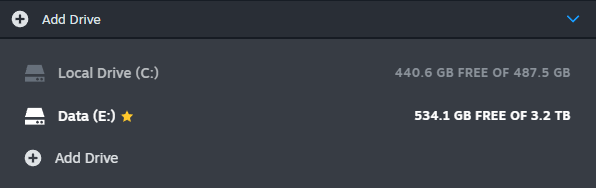
You most likely only have a single entry here, so click on add drive, select one of your other drives and click add
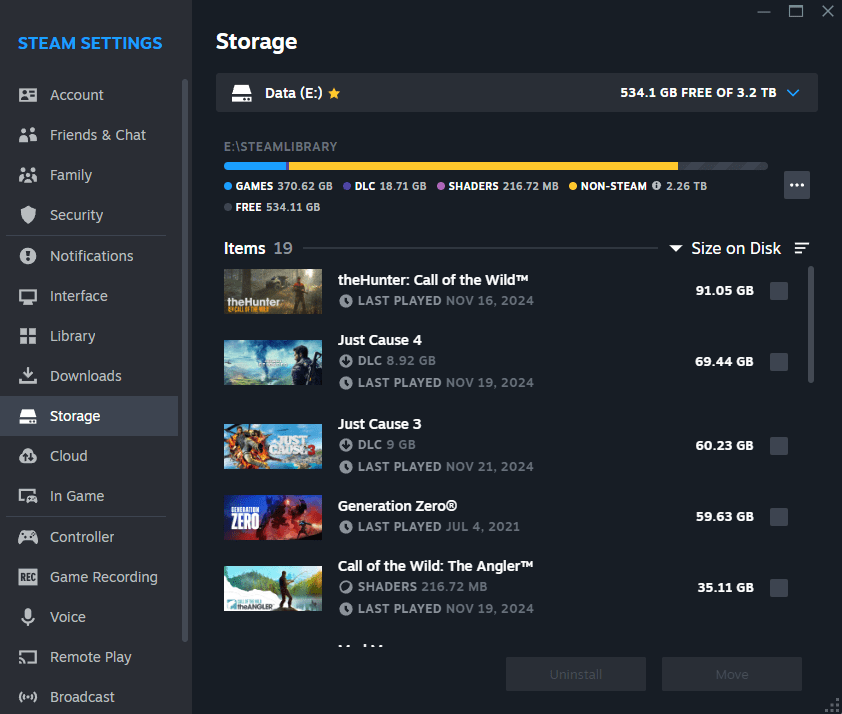
If you previously set up another drive, like you can see in my image, you don’t need to do anything else in this step
If you don’t have another drive, you can also use a USB stick, as long as it has enough space to hold the game, which is only around 5GB
Step 3:
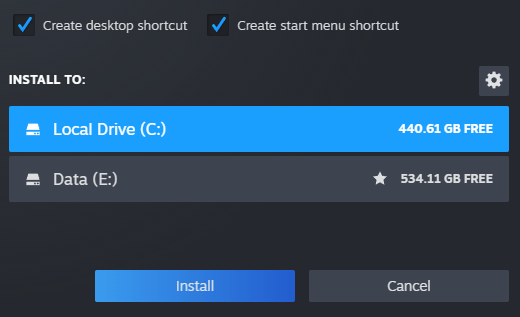
Re-download the game. Close the settings menu and return to your game-library. Find Just Cause 2 and click the download button. It will now ask you where you want to download the game to
Select your previously created Steam-library and click install
Once the game downloaded, start it! It should go through the executable patching just fine and start up now
Step 4:
Moving the game. Now that your game works again, you can move it back to your main Steam-library
To do that, once again click on Steam in the top left of the app, then settings. In the new window click on storage. At the top, click the Steam-library drop down and click on your new library
Click the grey box to the right of Just Cause 2 so a blue checkmark shows up and click on move. Select your main Steam-library in the pop menu and click move

It is possible that Steam left a Just Cause 2 folder in your main Steam-library, which will result in the error on the right
To solve this, close the move menu, select your main Steam-library, click the three-dot button and select browse folder
This will bring you to your main Steam-library folder. From here, go into the common folder and you will see all your games. In here, delete the old Just Cause 2 folder. Attempt to move the game again, it should work now

And that’s it!
You can now play the game just fine, as if nothing ever happened! Hope this helped!
 Just Cause Unlimited